Meet Plumsense at IAAPA Expo 2026 · Booth W2282 · Orlando, FL · Nov 17–20, 2026
 Visit us at www.plumsense.com


Vaccines must remain within the temperature range listed by the manufacturer. If temperatures move outside that range, vaccine quality may be affected, and staff may need to document and investigate the event.
A digital data logger records temperatures at regular intervals and provides minimum, maximum, and historical readings. This guide explains the main VFC data logger requirements, including probe type, alarms, accuracy, calibration records, data access, and proper placement.
Which Temperature Monitoring Device Does CDC Recommend for Vaccine Storage?
CDC recommends using a digital data logger, also called a DDL, for routine vaccine storage and transport. Unlike a basic thermometer, a DDL records temperatures continuously and shows when an excursion happened, how long it lasted and the temperatures recorded during that period.
CDC recommends looking for a device with a suitable buffered probe, an out-of-range alarm, a low-battery indicator, a current, minimum and maximum temperature display, recommended uncertainty of ±0.5°C (±1°F) or less, and a logging interval of every 30 minutes or more often.
Each device should also have a current Certificate of Calibration Testing. VFC providers should confirm any additional requirements with their state or local immunization program.
VFC Data Logger Requirements and Recommended Features
Before purchasing a device, compare its specifications and calibration documents with current CDC guidance and your state or local immunization program requirements.
Important features to check include:
- Continuous temperature recording
- A current, minimum, and maximum temperature display
- An active display that can be read without opening the storage unit
- An alarm for out-of-range temperatures; a low-battery indicator
- Recommended uncertainty of ±0.5°C (±1°F) or less
- A programmable logging interval of every 30 minutes or more often
- Downloadable or remotely accessible records
- A current Certificate of Calibration Testing
- A probe or sensor suitable for the storage unit
- Access to a backup monitoring device
For most vaccine refrigerators, place the buffered probe in the center of the unit with vaccines surrounding it. Follow the storage-unit manufacturer’s instructions if the unit has a designated sensor location.
1. Why Continuous Temperature Monitoring Matters
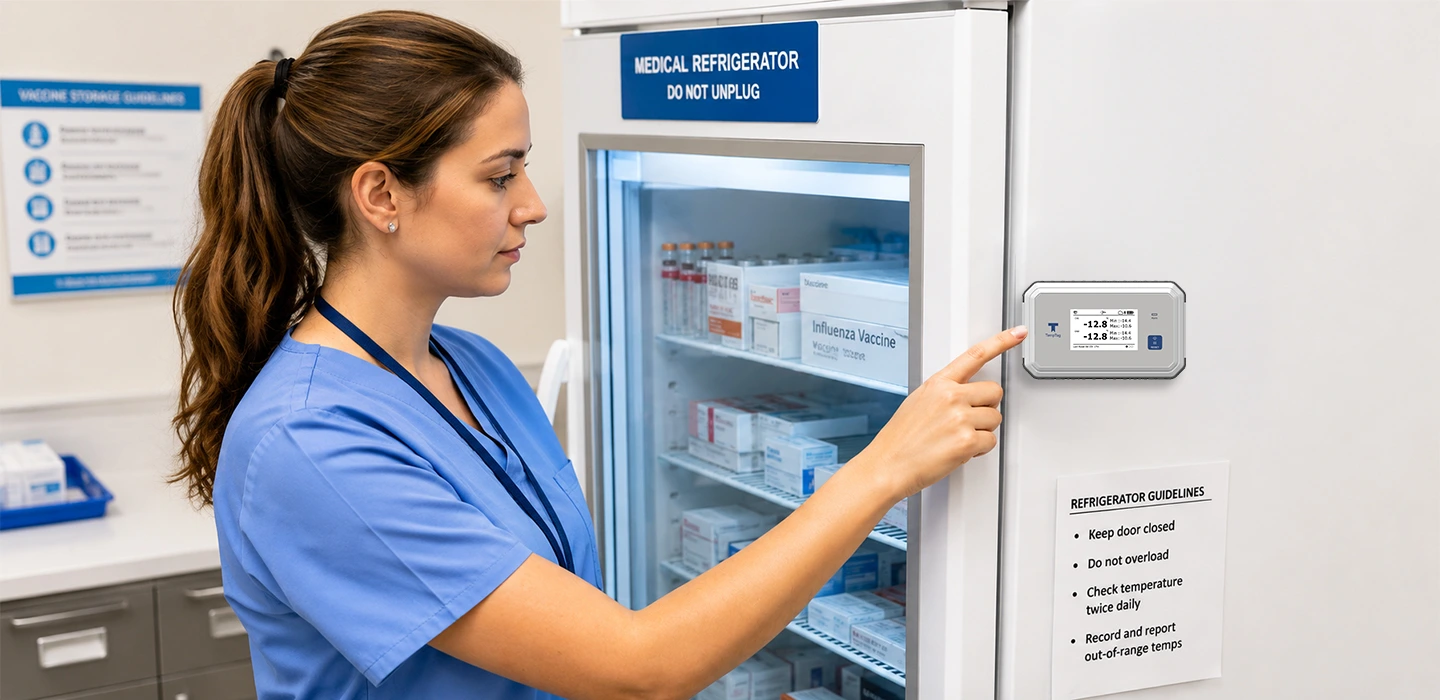
Vaccines can lose potency when they are exposed to temperatures outside their recommended storage range. Because this damage may not be visible, healthcare teams need accurate temperature records to identify and investigate possible excursions.
A digital data logger creates a time-stamped temperature history. This helps staff understand when an excursion started, how long it continued, and what temperatures were recorded. Always follow the vaccine manufacturer’s storage instructions, as requirements may vary by product.
Why Temperature Excursions Matter
Vaccines may lose potency when they are exposed to temperatures outside the manufacturer’s recommended range. This can lead to vaccine loss, additional documentation, and possible revaccination.
Continuous monitoring helps staff identify when an excursion started, how long it continued, and the temperatures reached during that period.
What Does “CDC-Recommended” Mean?
CDC recommends features and performance standards for vaccine temperature monitoring devices, but it does not approve or endorse individual commercial products.
Terms such as “VFC-approved” or “CDC-compliant” should not be used to suggest that a product has been reviewed or approved by CDC. Providers should compare the device’s features and calibration documents with current guidance and confirm state-specific requirements with their immunization program.
3. Medical Grade Refrigerator Thermometer Requirements
A basic thermometer normally shows the temperature at the time it is checked. A digital data logger records temperatures at scheduled intervals and provides a detailed history that can be reviewed after an excursion.
When comparing devices, consider the sensor type, measurement accuracy, alarm functions, logging interval, display, data access, and calibration documentation.
Why a Buffered Probe Matters
A standard kitchen thermometer measures the air temperature of the fridge. However, air temperature fluctuates wildly every time the refrigerator door is opened. Vaccines, being liquid, change temperature much more slowly than air.
To bridge this gap, medical guidelines require specific hardware components.
The Importance of a Buffered Temperature Probe
One of the most critical components of any reliable setup is the probe. Understanding the benefits of a buffered temperature probe is essential for accurate monitoring.
Instead of a bare metal probe exposed to the air, medical data loggers use a probe submerged in a small vial of liquid (usually glycol) or embedded in a medium like glass beads or solid Teflon.
- Thermal Mimicry: The buffer mimics the thermal properties of a liquid vaccine vial.
- Fewer False Alarms: Because the buffer slows the probe’s reaction time, briefly opening the door to grab a syringe will not trigger a false high-temperature alarm. The logger measures the temperature of the vaccine, not the air.
Continuous Temperature Recording Device
A digital data logger records temperatures throughout the day and night. If a storage unit fails outside working hours, staff can review when the temperature changed and how long it remained outside the required range.
Continuous records provide more useful information than a thermometer that only shows the temperature at the time it is checked.
Single-vendor option: Plumsense FX100 and FX500
Plumsense FX100 and FX500 support continuous temperature recording, alerts, reporting, and remote access for vaccine storage monitoring.
Before selecting a model, review its probe configuration, measurement range, logging interval, and calibration documents. Providers should also confirm any additional requirements with their state or local VFC program.
Certificate of Calibration Testing
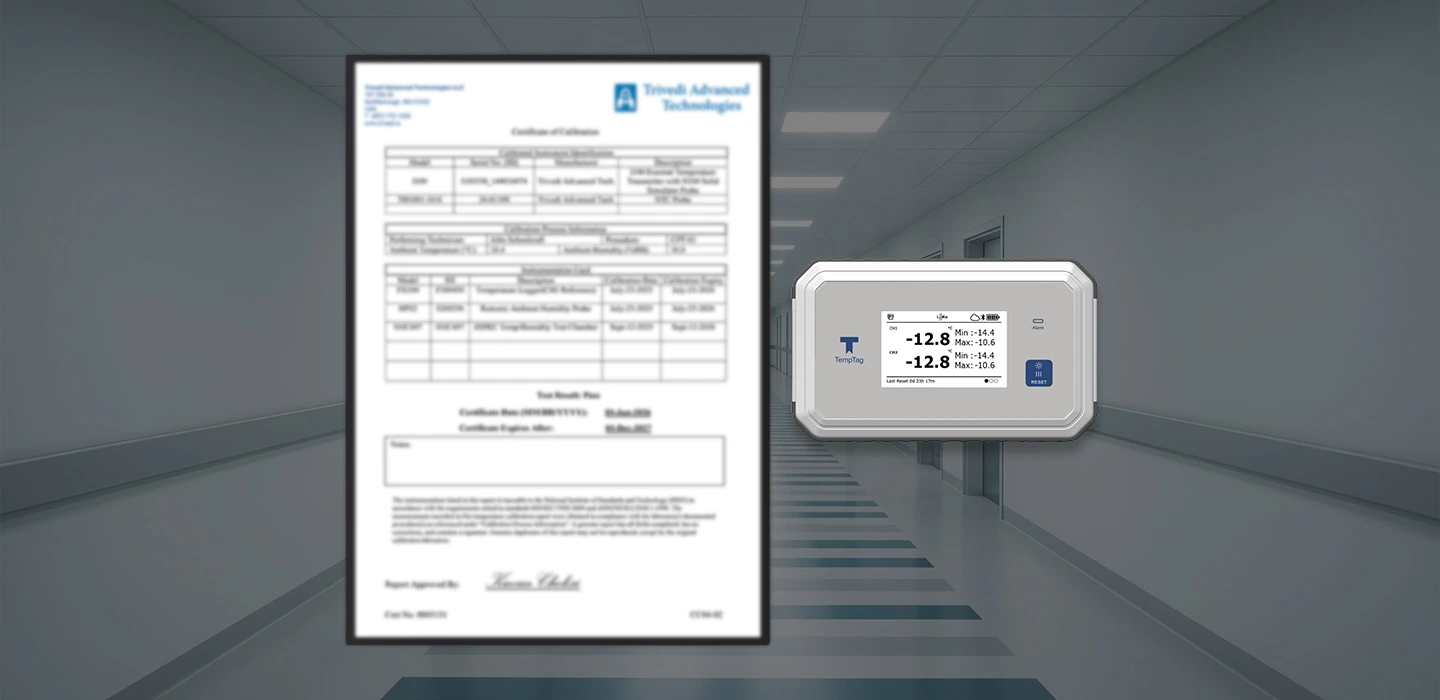
Each vaccine data logger should have a current and valid Certificate of Calibration Testing. The certificate should include the device model, serial number, calibration date, measurement uncertainty, and testing result.
NIST traceability is one accepted method. Other acceptable methods may include ISO/IEC 17025 conformity, testing by an appropriately accredited laboratory, applicable ASTM specifications, or another accepted accuracy-validation method.
Calibration testing should generally be completed every two to three years or according to the manufacturer’s recommended schedule.
4. USB vs Cloud-Based Monitoring
USB data loggers store temperature records locally. Staff must connect the device or USB drive to a computer to download and review the data.
They may be an affordable option for a small clinic with one or two storage units, but they usually require more manual work and may not provide remote alerts.
- Pros: Lower initial cost, no monthly software subscription fees, independent of Wi-Fi or local network outages.
- Cons: Records must usually be downloaded and reviewed manually. If the fridge fails overnight, you won’t know until someone manually checks the screen or downloads the data the next morning.
Cloud-Based Wireless Systems
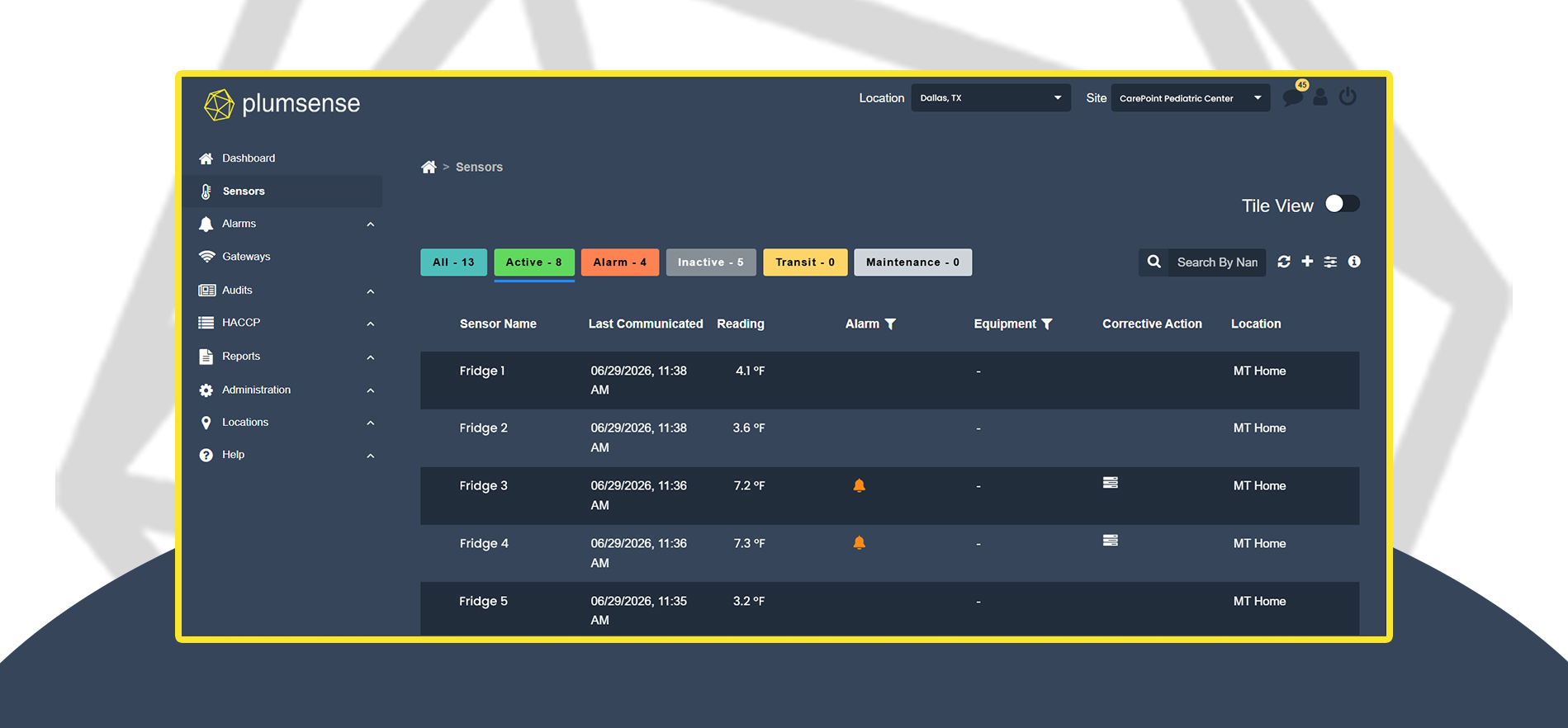
Cloud-based systems send temperature data to an online dashboard. Authorized staff can review current readings, historical records, and alarms from a computer or mobile device.
These systems may be more suitable for clinics that need after-hours alerts, remote access or centralized monitoring across several storage units or locations.
- Pros: Real-time visibility, automated logging, immediate emergency alerts, remote access, and centralized dashboards for multiple locations.
- Cons: Higher upfront cost, potential monthly subscription fees, and requires a stable internet connection (though most good units have onboard backup memory if the Wi-Fi drops).
| Continuous logging | Yes | Yes |
| Remote alerts | No (typically) | Yes (SMS/email/call) |
| Audit-ready reports | Yes (manual download) | Yes (often automated) |
| Best for | Single-site, low complexity | Multi-site, after-hours risk reduction |
| Ongoing cost | Lower | Often higher (subscription) |
Choosing Between USB and Cloud Monitoring
The right option depends on the number of storage units, staff availability, after-hours response needs, internet access, and budget. Clinics should choose a system that staff can manage consistently, and that supports their documentation requirements.
Remote Temperature Alerts for Vaccine Storage
Perhaps the greatest advantage of a cloud-based vaccine monitoring system is the ability to send remote alerts. If a compressor fails at midnight on a Saturday, the system can instantly trigger SMS text messages, emails, and automated phone calls to designated staff members.
Remote alerts can notify designated staff when temperatures move outside configured limits, including after regular working hours. This can help staff respond sooner and follow the facility’s excursion procedures. By receiving instant notifications, designated staff can follow the facility’s response procedure.
5. Setup and Actionable Configuration
Correct installation and configuration are important for reliable temperature readings and alerts.
Best Practices for Physical Placement
Where you place your sensors and your vaccines matters immensely. Medical refrigerators have internal microclimates; the back wall is often colder, while the area near the door is warmer.
- Central Placement: Place the buffered temperature probe in the center of the refrigerator, right alongside the vaccines. Do not place it in the doors, on the top shelf near the cooling vent, or on the absolute bottom floor.
- Avoid the Walls: Place the buffered probe in the center of the unit near the vaccines. Avoid placing it near walls, floors, doors, or direct airflow vents unless the storage-unit manufacturer provides different instructions.
- Cable Management: If using a wired probe, ensure the flat cable allows the refrigerator door to seal completely. A compromised door gasket will lead to condensation, frost build-up, and temperature fluctuations.
Setting Up Vaccine Fridge Alarms
Configure alarm limits according to the vaccine manufacturer’s storage instructions, your facility’s standard operating procedures and applicable immunization program requirements.
Alarm delays should reduce unnecessary alerts from brief events, such as opening the storage-unit door, without delaying the response to a genuine excursion. Assign primary and backup contacts and regularly test the alert and escalation process.
Document who receives alerts, how quickly staff should respond, and what actions they should take when a temperature moves outside the required range.
6. Temperature Records and VFC Documentation
Temperature records should include:
- Minimum and maximum readings
- Date and time of each check
- Name or initials of the person completing the check
- Downloaded data logger reports
- Temperature excursion details
- Corrective actions taken
- Current calibration certificates
CDC recommends keeping temperature records for three years. Your state or local immunization program may require additional documents or a longer retention period.
7. Transit and Logistics: Protecting the Moving Cold Chain
The cold chain doesn’t just exist inside your facility. Vaccines are constantly on the move — from the manufacturer to the distributor, from the distributor to your clinic, and sometimes from your clinic to an off-site pop-up immunization event.
Using Data Loggers During Vaccine Transport
Use an appropriate temperature monitoring device whenever vaccines are transported. Place the probe or sensor according to the transport-container instructions and make sure temperature records remain available for review.
Follow the vaccine manufacturer’s instructions and your immunization program’s procedures for qualified containers, pack-outs and temperature monitoring. Keep a backup monitoring device available for emergency transport.
Off-Site Transport and Emergencies
If you need to transport vaccines yourself — whether for a mobile clinic or because of a facility power outage — you cannot use standard coolers and loose ice.
- Use qualified pack-outs (purpose-built portable medical coolers).
- Place a data logger directly in the cooler.
- Ensure the logger has a digital readout so the driver or nurse can continuously monitor the temperature during transit without opening the cooler lid.
8. What Should You Do After a Temperature Excursion?
If a data logger records an out-of-range temperature:
- Label the affected vaccines “DO NOT USE.”
- Keep them stored under appropriate conditions.
- Separate them from unaffected vaccines.
- Do not discard them immediately.
- Download and save the data logger report.
- Record the date, time, duration, and temperatures reached.
- Contact your immunization program and the vaccine manufacturer for guidance.
- Document the instructions received and the final action taken.
9. Troubleshooting Common Excursion Scenarios
Even with the best preparation, emergencies happen. How you respond to an excursion dictates whether your inventory is saved or lost.
Scenario 1: Power Outage
If the power goes out, DO NOT open the refrigerator door. Monitor your wireless medical temperature monitoring system via your cellular network. If the temperature approaches the 8°C threshold, execute your emergency transport SOP immediately.
Scenario 2: The Door Was Left Ajar
This is the most common cause of excursions. If a staff member leaves the door cracked open overnight, the temperature will likely spike, and the logger will trigger an alarm.
- Action: Close the door immediately. Do NOT throw the vaccines in the trash. Mark the inventory as “DO NOT USE” and quarantine it inside the fridge. Download your DDL report to see exactly how long the temperature was out of range and what the peak temperature was. Contact the vaccine manufacturers with this specific data; they will run a stability analysis and tell you whether the vaccines are still viable.
Scenario 3: Freezing Temperatures in a Refrigerator. Surprisingly, exposing refrigerated vaccines to freezing temperatures (below 0°C) is often more damaging than exposing them to heat. Freezing can permanently alter the molecular structure of adjuvants (like aluminum salts) used in many vaccines.
- Action: If your logger shows the temperature dipped below freezing, quarantine the stock and call the manufacturer. To prevent this, never store vaccines near the cold air vent at the top/back of the refrigerator.
Conclusion
Choosing a vaccine data logger involves more than checking its temperature range. Clinics should review the probe type, accuracy, alarm functions, logging interval, data access and calibration documents.
CDC recommends digital data loggers for routine vaccine storage and transport but does not approve individual commercial products. Always confirm additional requirements with your state or local immunization program.
Plumsense provides continuous monitoring, remote alerts, and temperature records for healthcare facilities. Contact our team to discuss the right monitoring setup for your vaccine storage units.
References