Vaccine Cold Chain Monitoring Requirements & Best Practices
Protect vaccine potency from receipt through administration with continuous temperature monitoring, real-time alerts, and audit-ready records for refrigerators, freezers, and healthcare storage workflows across one site or hundreds.
What is vaccine cold chain monitoring?
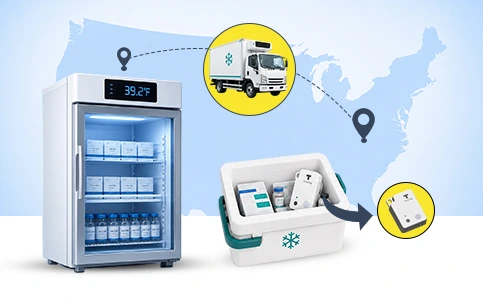
Vaccine cold chain monitoring is the continuous tracking of vaccine storage and transport temperatures from receipt through administration. A reliable cold chain helps keep vaccines within manufacturer-recommended temperature ranges, protects potency, reduces waste, and supports inspection-ready documentation.


Cold chain failures can affect patients, inventory, and compliance
A single unnoticed excursion can compromise potency, trigger waste, and create gaps inspectors will ask about.

Safe Patient Care
Temperature control helps ensure administered vaccines remain effective and safe to use.
Vaccine Potency
Potency loss depends on product type, exposure time, and the temperature reached during the excursion.

Audit-Ready Records
Automated logs capture what happened, when it happened, and how staff responded.
Reduced Vaccine Waste
Real-time alerts help reduce avoidable waste and replacement costs.

Don't let a silent excursion cost you a tray of vaccines
See how Plumsense catches temperature drift and alerts your team before it reaches inventory.
How vaccine monitoring works in 3 steps
Place the sensors
Wireless temperature and door sensors install in minutes on every vaccine refrigerator, freezer, and ultra-cold unit, with buffered probes where appropriate.
Connect the gateway
A cellular or network gateway relays readings to the cloud and can keep collecting data during power and internet outages.
Monitor from the dashboard
Track live temperatures, get SMS and email alerts when conditions drift, and export audit-ready logs from one dashboard.
The devices behind it
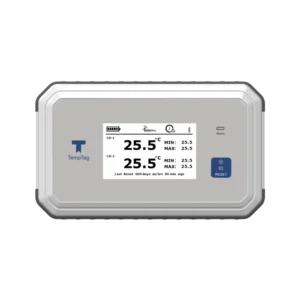
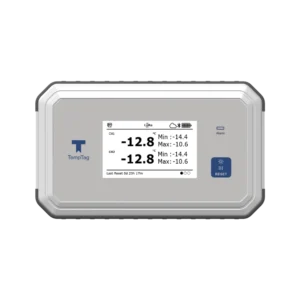
Vaccine storage runs on the TempTag™ FX100 and FX500 display loggers
TempTag FX100
TempTag FX500
2.7″
85 dBa
±0.5°C
2 yrs
CDC · VFC
21 CFR Part 11
From storage to shipment
Keep the cold chain intact once vaccines leave the fridge
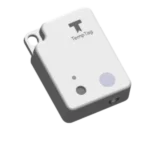
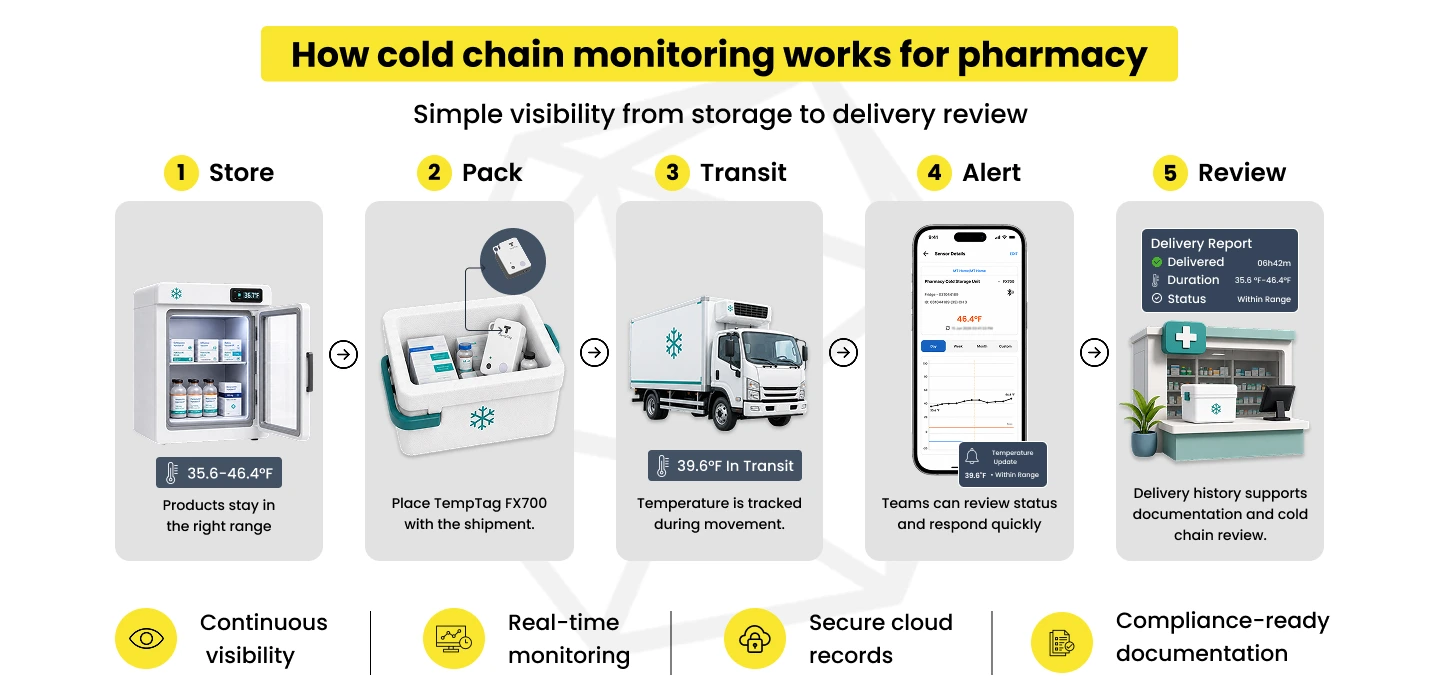
The TempTag™ FX100 and FX500 protect vaccines in storage. The moment a shipment moves, the Bluetooth® FX700 rides along, capturing an unbroken temperature record from pickup to delivery and proving condition on arrival.
TempTag FX700
What's inside a Plumsense vaccine monitoring setup
Plumsense helps healthcare teams monitor vaccine refrigerators, freezers, and cold storage with wireless sensors, real-time alerts, and audit-ready records across one or multiple locations.
Wireless temperature sensors
Probe-based monitoring for vaccine refrigerators, freezers, storage rooms, and critical healthcare areas.
Refrigerator / freezer probes
Buffered and ultra-low probe options for vaccines, biologics, and temperature-sensitive inventory.
Gateway + cloud dashboard
Send readings to a central dashboard for real-time temperature visibility across every site.
SMS and email alerts
Notify and escalate to the right staff the moment storage conditions drift out of range.
Audit-ready temperature logs
Export time-stamped records for inspections, reviews, and corrective-action documentation.
Calibration support
Calibrated or NIST-traceable sensor documentation where your program requires it.
Ready to put this system on your vaccine freezer ?
Get a monitoring setup scoped to your storage units, locations, and compliance needs.
Why teams choose Plumsense for vaccine monitoring
Keeps logging through outages
Battery-backed sensors and gateways can keep recording and alerting during power and internet loss, so your records stay complete.
One dashboard, every location
Ultra-low to ambient coverage
NIST-traceable calibration
Calibration documentation traceable to NIST or an equivalent standard, available where your program requires it.
Alerts that reach the right people
SMS, email, and escalation rules get issues to on-call staff before inventory is at risk, not after the morning check.
Analytics that flag failing units
See the TempTag™ FX700 and the dashboard in action
Book a live walkthrough and watch real-time alerts, audit logs, and reports come together.
What happens when vaccines go out of range?
A temperature excursion is any reading outside the storage range recommended in the manufacturer’s package insert. Excursions can happen during delivery, storage, transport, power loss, equipment failure, or everyday handling.
The impact depends on the vaccine type, temperature reached, and duration of exposure. Some vaccines are heat-sensitive, while others can be damaged by freezing. Continuous monitoring helps answer two critical questions: how far did the temperature drift, and how long did the exposure last?
Where cold chains most often break
- Delivery delays and shipments left in uncontrolled areas before storage
- Refrigerator, freezer, or ultra-cold unit failure without warning
- Power outage, unplugged unit, or failed backup power, often after hours
- Door left open, overloaded unit, or incorrect thermostat setting
- Human error and missed manual logs
- Transport container not qualified for the route or duration
Vaccine cold chain monitoring requirements and best practices
Build a workflow that combines the right storage equipment, monitoring devices, staff training, emergency procedures, and documentation.
Core monitoring setup
- Stand-alone, pharmaceutical-grade units (not dorm-style)
- A monitoring device on every storage unit
- Digital data logger (DDL) with valid calibration certificate
- ±0.5°C accuracy with current, min, and max display
- Buffered (glycol) probe sensor
- Logging at least every 30 minutes
- Alarms for out-of-range conditions
Documentation and readiness
- Minimum and maximum temperatures recorded at the start of each workday
- Backup temperature monitoring device
- Emergency vaccine storage and handling procedures
- Documented staff training and assigned primary and backup vaccine coordinators
- Temperature records retained for inspection and trend review
- Current calibration documentation, with devices recalibrated on schedule
- Contingency plan for power loss and after-hours excursions
Make your next inspection a non-event
Get audit-ready temperature records and documented excursion response across every site.
What to do during a vaccine temperature excursion
1
Notify the responsible person
2
Separate affected vaccines
3
Document the event
4
Review the monitoring record
5
Confirm guidance
6
Record final action
How to strengthen vaccine cold chain performance
Monitor continuously
Cover every storage unit
Use the right probe
Set thresholds carefully
Review data monthly
Train all staff
Frequently Asked Questions
Related monitoring solutions
Food Safety
Calibration Services
Pharmacy Monitoring
Smarter Operations Start Here
See how Plumsense can optimize your operations and prevent losses-live
Meet
us
at NACAS C3X 2026 · Booth 120 · Chicago · Sep 27–30, 2026
See continuous monitoring live at Booth 120 · Book a 15-minute demo
Visit
us at www.plumsense.com