Meet Plumsense at IAAPA Expo 2026 · Booth W2282 · Orlando, FL · Nov 17–20, 2026
 Visit us at www.plumsense.com



Hospitals use temperature monitoring to protect vaccines, medications, blood products, laboratory materials, food, and other sensitive items. A temperature change can affect product quality, create extra work for staff, and result in product loss.
A hospital temperature monitoring process helps staff identify problems early, receive alerts, and maintain useful records. The correct process depends on what is being stored, manufacturer instructions, hospital policy, and applicable requirements.
This hospital temperature monitoring guide explains Joint Commission expectations, CDC vaccine-storage guidance, common monitoring problems, and steps for selecting a suitable system.
Joint Commission Refrigerator Temperature Monitoring
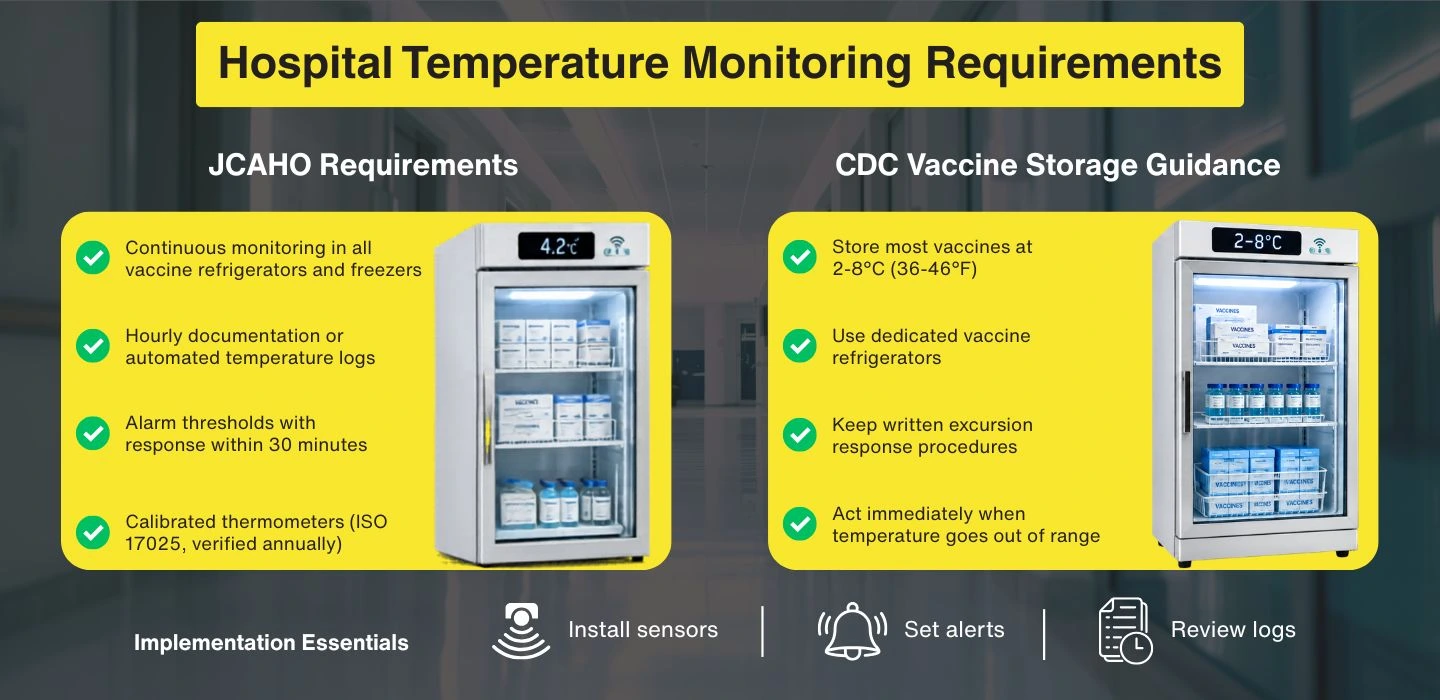
The Joint Commission does not specifically require a temperature log for every medication refrigerator or freezer. However, hospitals must have a defined process to maintain the storage temperatures required by the medication or product manufacturer.
The hospital’s process should identify:
- Acceptable storage temperature ranges
- Who is responsible for monitoring each unit
- How staff identify temperature excursions
- What action staff take when temperatures move outside the required range
- How affected medications or products are evaluated
- How monitoring and corrective actions are documented
- How affected products are handled or disposed of
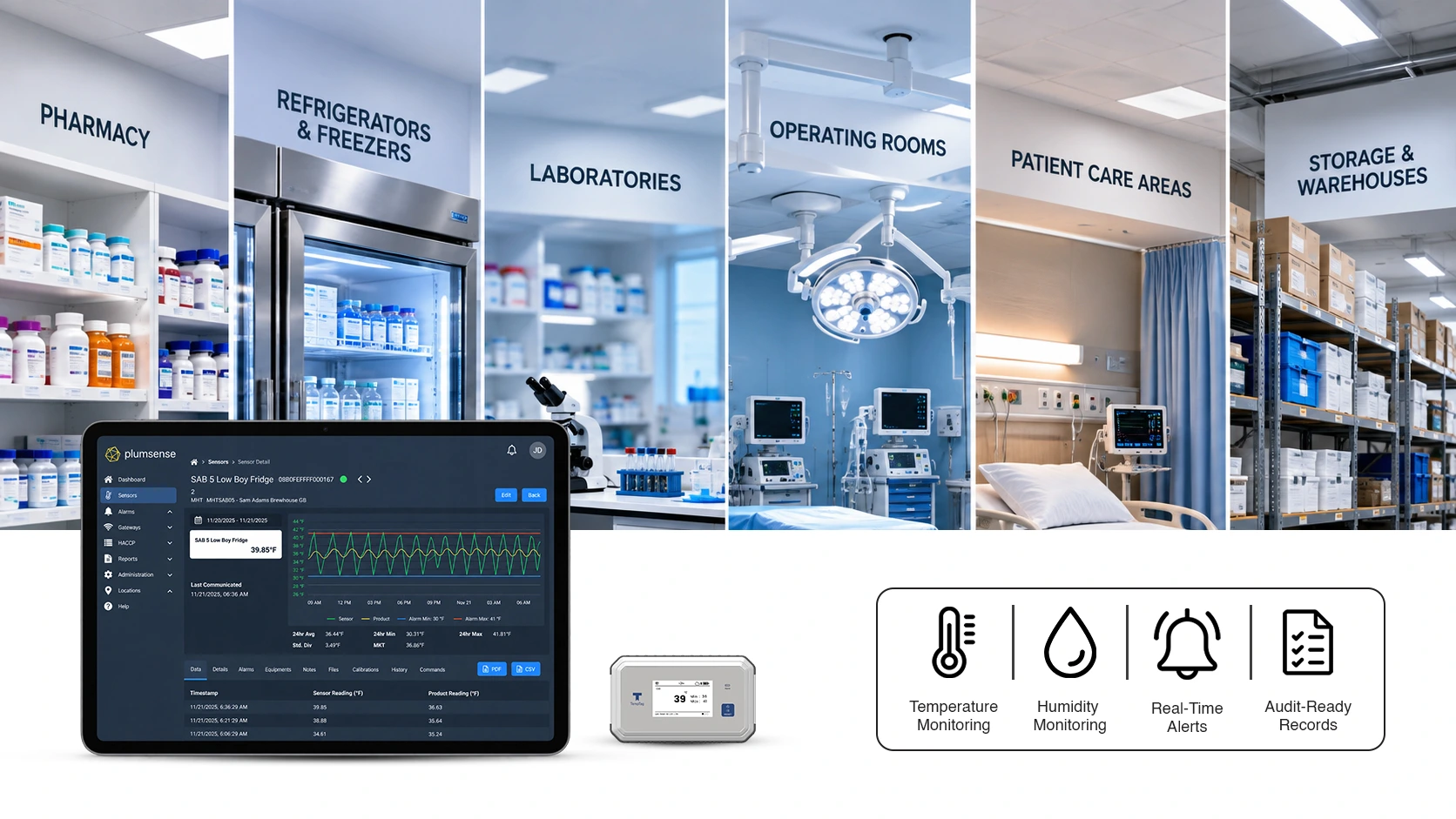
Automated hospital temperature monitoring can support this process by recording temperatures, sending alerts, and maintaining reviewable records.
Hospitals should also follow manufacturer instructions and applicable federal, state, and local requirements.
CDC Cold-Storage Requirements for Vaccines
The CDC Vaccine Storage and Handling Toolkit provides vaccine-storage guidance, best practices, and information about Vaccines for Children program requirements.
General vaccine storage ranges include:
| Storage unit | General temperature range |
|---|---|
| Refrigerator | 2°C to 8°C (36°F to 46°F) |
| Freezer | -50°C to -15°C (-58°F to 5°F) |
| Ultra-cold freezer | -90°C to -60°C (-130°F to -76°F) |
Some vaccines and immunization products have different storage requirements. Hospitals should always follow the manufacturer’s package insert or applicable EUA Fact Sheet for Healthcare Providers.
CDC recommends using a digital data logger for vaccine storage because it records temperatures at set intervals and provides details about temperature excursions.
A suitable digital data logger should provide:
- Current, minimum, and maximum temperatures
- Temperature readings at set intervals
- A suitable probe for the storage environment
- A low-battery indicator
- Temperature history
- Current calibration documentation
For vaccine storage, CDC generally recommends placing the buffered probe in the center of the storage unit with vaccines surrounding it. Some purpose-built units may require a different probe location, so hospitals should follow the unit manufacturer’s instructions.
A household-grade refrigerator may be used as a last option for refrigerated vaccines. However, vaccines should not be stored in the freezer section of a household combination unit.
Dormitory-style or bar-style combined refrigerator and freezer units should not be used for vaccine storage.
How Do Hospitals Monitor Medication and Vaccine Storage Temperatures?
Hospitals may use calibrated thermometers, digital data loggers, or centralized wireless monitoring systems to monitor medication and vaccine storage temperatures.
A hospital-wide monitoring system can:
- Record temperatures continuously
- Display current, minimum, and maximum readings
- Send alerts when readings move outside the selected range
- Store time-stamped temperature history
- Support multiple refrigerators, freezers, and departments
- Maintain records during temporary network interruptions
- Provide reports for internal reviews and audits
The correct monitoring process depends on the stored product, manufacturer instructions, hospital policies, and applicable requirements.
For vaccine storage, CDC recommends digital data loggers because they provide detailed temperature history and information about excursions.
CDC also advises checking and recording minimum and maximum vaccine-storage temperatures at the start of each workday. If the monitoring device does not show minimum and maximum readings, staff should generally record the current temperature at least twice each workday.
A healthcare temperature monitoring system can help hospitals collect readings from different departments and review them through one platform.
Hospital Refrigerator Temperature Monitoring
Hospital refrigerators may store vaccines, medications, samples, reagents, blood products, or food. These items do not all use the same temperature range.
Staff should confirm:
- What is stored in each refrigerator
- The correct temperature range
- Where the monitoring probe should be placed
- Who reviews the readings
- Who receives an alert
- What action is required during an excursion
- How long records should be kept
Hospital refrigerator temperature monitoring should follow the requirements for the specific products stored inside the unit.
Hospital Freezer Temperature Monitoring
Hospital freezer temperature monitoring requires devices and probes that can operate within the required low-temperature range.
Hospitals should check:
- The freezer’s required operating range
- Whether the sensor supports that range
- Probe placement instructions
- Alarm thresholds and delays
- Power-failure procedures
- Backup storage options
- Calibration records
- Staff response procedures
Ultra-cold freezers may require different probes, monitoring devices, and alarm settings from standard hospital freezers.
Hospital Cold-Storage and Food-Storage Monitoring
Hospital cold-storage areas may include walk-in refrigerators, pharmacy storage, vaccine units, laboratory freezers, and hospital kitchens.
A hospital cold-storage temperature monitoring policy should define the correct range for each area instead of using one range for the whole facility.
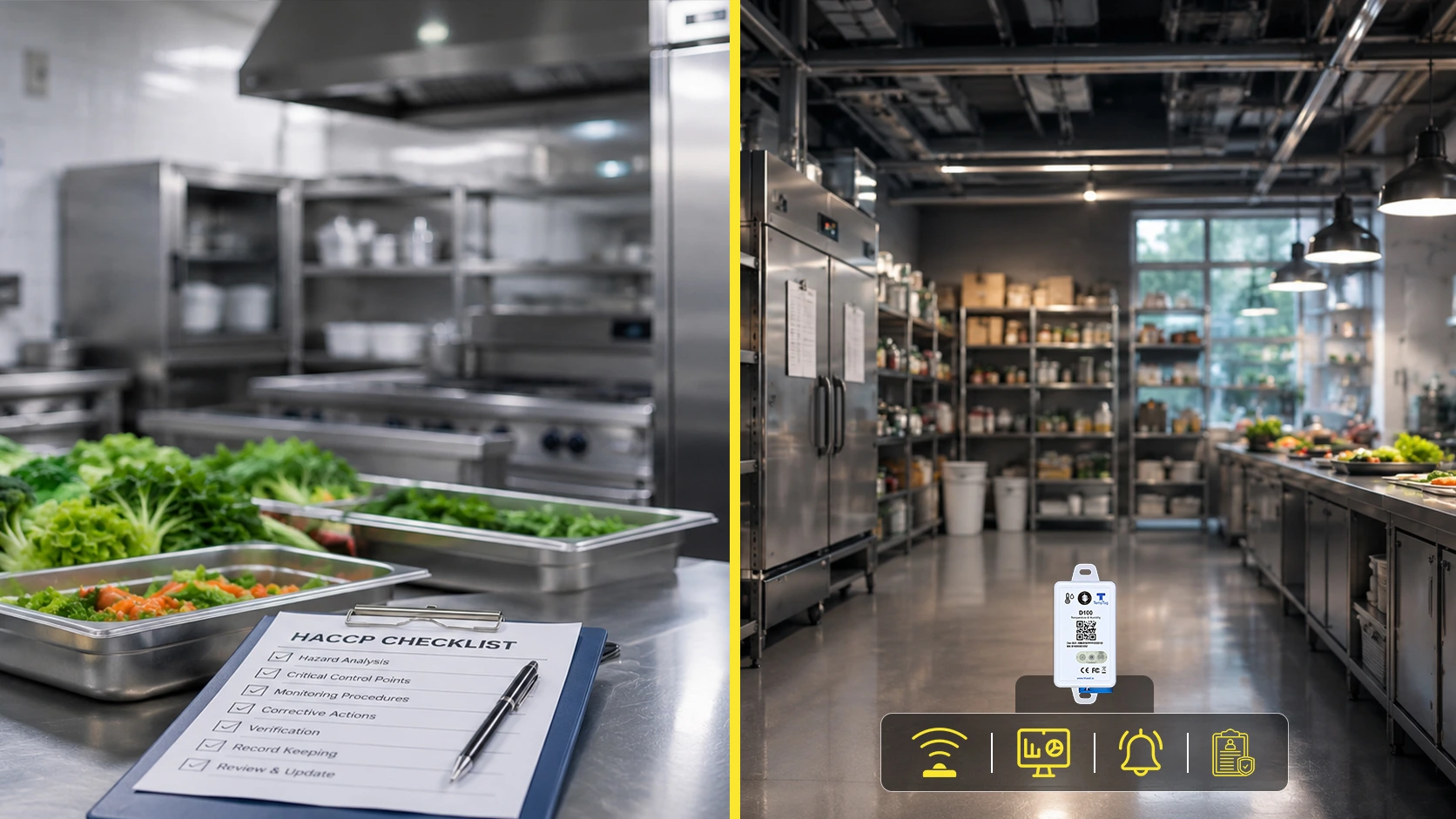
Hospital food-storage monitoring should also follow the facility’s food safety plan and applicable requirements. Monitoring can help food-service staff identify problems with walk-in refrigerators, freezers, and cold rooms before food quality or safety is affected.
Common Hospital Temperature Monitoring Problems
Hospital temperature monitoring problems often happen because the process is incomplete rather than because the refrigerator or freezer completely stops working.
Refrigerator or Freezer Door Left Open
A door may remain partly open after staff uses the unit. Without continuous monitoring or alerts, the problem may not be identified until the next manual check.
Power Failure
A short power failure can affect refrigerators, freezers, and controlled rooms. Hospitals should have written procedures for power outages and backup storage.
Sensor Communication Loss
A wireless sensor may stop sending information to the monitoring platform. The system should make communication failures visible so staff can respond.
Calibration Problems
A monitoring device can lose accuracy over time. Current calibration records help hospitals confirm that the readings can be trusted.
Missing Temperature Records
Paper logs may have missing readings, and digital systems may have data gaps caused by device, power, or network problems. Records should be reviewed regularly.
Alerts Without a Response Process
An alert does not protect stored products unless someone receives and acts on it. Each monitored area should have a primary contact, a backup contact, and clear response steps.
Common Vaccine Storage Temperature Monitoring Failures
Hospital vaccine-storage problems can happen when monitoring equipment, records, or response procedures are incomplete.
Common failures include:
- Using a thermometer that does not provide complete temperature history
- Missing or incomplete temperature records
- Allowing calibration documentation to expire
- Setting alarms without a clear staff response process
- Failing to review minimum and maximum temperatures
- Not documenting actions taken during a temperature excursion
- Losing monitoring data during internet or power interruptions
- Storing vaccines outside manufacturer-recommended conditions
- Placing the probe too close to a door, wall, floor, or cooling vent
- Failing to test primary and backup alert contacts
A digital data logger can help hospitals identify when an excursion occurred, how long it lasted, and the highest or lowest temperature reached.
Staff must still follow hospital procedures and current vaccine-storage guidance.
Why Manual Checks May Miss Temperature Problems
Manual thermometer checks show the temperature only at the time of the reading. They may not show what happened between two checks.
For example, a refrigerator temperature may move outside the correct range overnight and return to normal before the next manual reading. Staff may see a normal temperature without knowing how long the unit was out of range.
Manual checks may also:
- Depend on staff availability
- Result in missing or incomplete records
- Make it difficult to identify overnight problems
- Require staff to review paper records
- Delay the identification of repeated temperature changes
A digital data logger or wireless monitoring system can record temperatures at regular intervals. This helps staff determine:
- When an excursion started
- How long it continued
- The highest or lowest recorded temperature
- When the temperature returned to the correct range
- Whether similar problems have happened before
Manual checks may still be required by hospital policy or an applicable program. Automated monitoring can support these checks by providing additional temperature history.
Hospital Temperature Monitoring Technology Comparison
| Monitoring method | Data collection | Remote alerts | Temperature history | Staff involvement |
|---|---|---|---|---|
| Manual thermometer | Staff record individual readings | Usually unavailable | Paper or manual records | High |
| Stand-alone data logger | Automatic readings stored on the device | Depends on the device | Downloadable history | Medium |
| Wireless monitoring system | Automatic readings sent to a platform | Available | Centralized records | Lower routine effort |
No monitoring system automatically guarantees compliance. Compliance also depends on correct equipment, staff training, written procedures, calibration, recordkeeping, and the response to temperature problems.
How to Implement Hospital Temperature Monitoring
Step 1: Assess the Current Setup
Begin by identifying all areas that may require monitoring.
These may include:
- Medication refrigerators
- Vaccine refrigerators
- Standard freezers
- Ultra-cold freezers
- Pharmacy storage areas
- Laboratories
- Blood-product storage
- Hospital kitchens
- Walk-in refrigerators
- Controlled rooms
For each area, record the products being stored, the required temperature range, the current monitoring method, and the responsible staff member.
Step 2: Choose the Monitoring System
Choose monitoring devices based on the environment and products being monitored.
Check for:
- Suitable temperature range
- Expected accuracy
- Correct probe type
- Programmable logging interval
- Minimum and maximum readings
- Email, text, or phone alerts
- Battery-status notification
- Data backup
- Reporting features
- Calibration documentation
For a hospital continuous temperature monitoring system, confirm whether it can support multiple units, departments, buildings, and alert contacts.
Step 3: Install and Test the Devices
Place sensors and probes according to manufacturer instructions.
For vaccine storage, CDC generally recommends placing a buffered probe in the center of the unit with vaccines surrounding it.
After installation, test:
- Temperature readings
- Sensor and gateway communication
- Email, text, or phone alerts
- Primary and backup contacts
- Data storage
- Reports
- Power-failure procedures
- Network-failure procedures
Monitoring devices should have current calibration documentation. Calibration frequency depends on the device, manufacturer instructions, calibration certificate, hospital policy, and applicable requirements.
Hospitals can use temperature calibration services to check device accuracy and maintain calibration records.
Step 4: Train Hospital Staff
Staff should understand what a temperature excursion means and what they need to do when an alert occurs.
Training should cover:
- How to check the monitoring device
- How to respond to an alarm
- Who should be contacted
- How to identify affected products
- How to record corrective actions
- What to do during a power or network failure
Hospitals should also assign a backup person when the main contact is unavailable.
Step 5: Maintain Records and Review Data
The monitoring process should maintain clear records of:
- Temperature readings
- Minimum and maximum temperatures
- Alerts
- Temperature excursions
- Corrective actions
- Calibration
- Device maintenance
- Staff training
Monitoring records should be reviewed regularly to identify missing data, repeated alarms, or slow changes in equipment performance.
CDC generally recommends keeping vaccine temperature records for three years. State, local, VFC, hospital, or product-specific requirements may require a different retention period.
What Should Hospitals Do During a Vaccine Temperature Excursion?
For vaccines, CDC considers any reading outside the recommended range in the manufacturer’s package insert or applicable EUA Fact Sheet for Healthcare Providers to be a temperature excursion.
When an excursion occurs:
- Notify the vaccine coordinator, backup coordinator, or supervisor.
- Label affected vaccines “DO NOT USE—TEMPERATURE EXCURSION.”
- Move them to the correct storage conditions and keep them separate.
- Do not discard the vaccines immediately.
- Document the date, time, temperatures, affected products, and event details.
- Contact the state or local immunization program or vaccine manufacturer for guidance.
- Document the instructions received and the final action taken.
- Review the cause and take steps to prevent another excursion.
For medications, blood products, specimens, and food, hospitals should follow the procedures that apply to those specific products.
What Does Hospital-Wide Temperature Monitoring Cost?
There is no single average cost for a hospital-wide temperature monitoring system. The total investment depends on the hospital’s size, number of monitored locations, and technical requirements.
Important cost factors include:
- Number of refrigerators, freezers, and monitored rooms
- Number and type of sensors
- Wireless gateways and network coverage
- Cloud software and data storage
- Email, text, or phone alerts
- Calibration requirements
- Installation and staff training
- Reporting and audit-trail features
- Integration with existing hospital systems
- Technical support and maintenance
A small department with a few storage units will have different needs from a hospital monitoring several departments or buildings.
Hospitals should request a site-specific assessment based on their storage units, network conditions, products, and monitoring needs.
What Portion of a Hospital’s Facilities Budget Should Be Allocated?
There is no standard percentage that every hospital should allocate to temperature monitoring.
The budget should be based on:
- Number of monitored locations
- Value of temperature-sensitive products
- Compliance requirements
- Equipment risks
- Calibration needs
- Staff time
- Reporting requirements
- Need for remote alerts
- Possible impact of an undetected excursion
A site-specific assessment provides a more useful estimate than a standard budget percentage.
Final Thoughts
Hospital temperature monitoring helps protect vaccines, medications, specimens, food, blood products, and other sensitive items.
A reliable process combines suitable monitoring equipment with clear staff responsibilities, accurate records, current calibration, and a tested response plan.
Hospitals should follow manufacturer instructions and current guidance when setting temperature ranges and procedures. Automated monitoring can make it easier to review different storage units and identify problems, but staff must still respond to alerts and review monitoring records.
Plumsense provides centralized temperature monitoring, real-time alerts, and reporting for healthcare facilities. Hospitals can request a site-specific assessment based on their departments, storage units, and monitoring needs.